
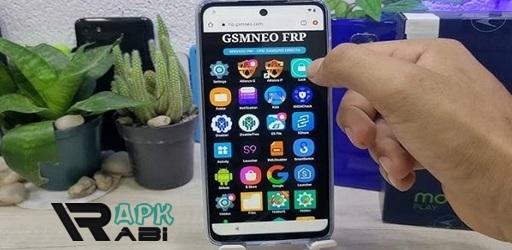

GsmNeo FRP
APK 1.0Let's build community together and explore the coolest world of APK Games/Apps.
Discover everything about GsmNeo FRP APK, the powerful Android tool to bypass Factory Reset Protection. Learn how it works, its features, benefits, risks.
Information
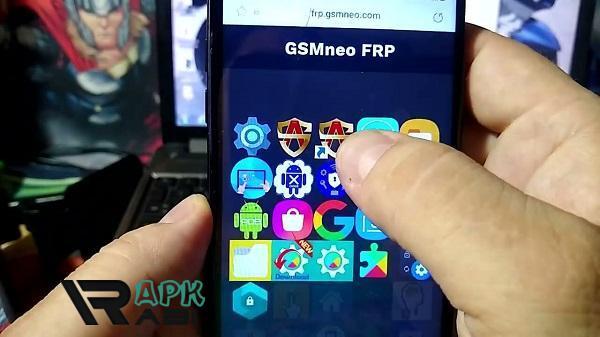
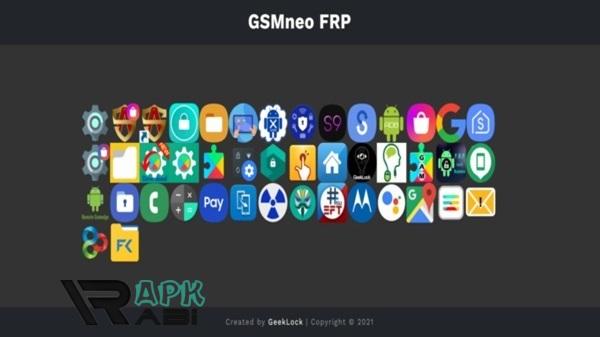
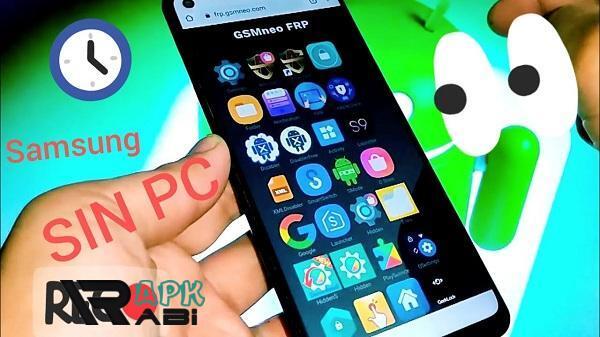
GsmNeo FRP APK The Complete Unlocking FRP with Ease
Factory Reset Protection (FRP) is one of those features that sounds like a blessing until you actually get locked out of your own phone. Imagine resetting your device, only to discover you can’t get back in because you forgot the Google account credentials linked to it. Stressful, right? That’s exactly why tools like GsmNeo FRP APK have exploded in popularity among Android users, mobile technicians, and repair enthusiasts.
In this long-form guide, we’ll break down everything you need to know about GsmNeo FRP APK: what it is, how it works, its features, its role in bypassing FRP, the risks you should be aware of, and how it compares with alternatives. Let’s dive deep into this tool that has become a must-have in the Android unlocking world.
What is GsmNeo FRP APK?
GsmNeo FRP APK is an Android-based application designed to bypass Factory Reset Protection (FRP) on Android devices. FRP is a Google security protocol introduced from Android 5.1 (Lollipop) onwards, primarily aimed at protecting stolen devices. It ensures that if someone resets your device without permission, they cannot access it unless they log in with the original Google account.
While that sounds great for security, it becomes a nightmare if:
-
You forget your Google account password.
-
You buy a second-hand phone that is still FRP-locked.
-
You repair a phone and need to test it but can’t pass the FRP screen.
GsmNeo FRP APK acts as a utility tool to bypass this lock and regain access to the device.
Why is FRP Lock Such a Big Deal?
Let’s be real—most people don’t remember all their passwords, especially if they have multiple Google accounts. And if you’ve ever had your phone serviced, you know technicians often reset the phone to fix issues. That’s when FRP comes into play.
Advertisement
The lock ensures that even if the phone is reset, it cannot be used without the original credentials. This is good for theft prevention but problematic for genuine users. Here’s why FRP can be a hassle:
-
Second-hand buyers: Many people buy pre-owned Android devices, but sellers sometimes forget to remove their accounts before selling.
-
Technical issues: Resetting the device for performance issues often triggers FRP if account details aren’t remembered.
-
Repair centers: Mobile technicians often need to access devices post-repair, but FRP blocks them.
That’s why tools like GsmNeo FRP APK exist—to simplify access for legitimate users.
Key Features of GsmNeo FRP APK
What makes GsmNeo stand out is its combination of ease of use, broad compatibility, and effectiveness. Let’s break down its features:
a. Wide Device Support
-
Compatible with most Android brands: Samsung, Xiaomi, Oppo, Vivo, Realme, Huawei, Motorola, etc.
-
Works across multiple Android versions, from Lollipop to Android 13 and beyond.
b. One-Click Bypass
-
No need for complicated commands.
-
User-friendly interface with straightforward options.
c. Regular Updates
-
Supports the latest Android patches.
-
Developers frequently update it to stay ahead of Google’s security improvements.
d. Lightweight Application
-
Small file size.
-
Doesn’t consume heavy system resources.
e. Additional Utilities
Apart from bypassing FRP, some versions of GsmNeo FRP APK include:
-
Quick access to device settings.
-
Network unlock features.
-
ADB (Android Debug Bridge) options for advanced users.
f. Offline Support
Unlike some bypass tools that require PCs or online connectivity, GsmNeo can operate directly on the device with minimal requirements.
How Does GsmNeo FRP APK Work?
At its core, the app exploits vulnerabilities or loopholes in Android’s FRP implementation. By creating a backdoor entry into the device settings, it allows users to:
-
Access settings without verifying the Google account.
-
Add a new Google account.
-
Disable the previous account requirement.
In simple terms:
-
The app tricks the system into skipping the FRP verification screen.
-
Once bypassed, you can use the phone normally and set up your own account.
Benefits of Using GsmNeo FRP APK
Why should someone choose GsmNeo FRP APK over other FRP bypass solutions? Let’s highlight the perks:
-
Accessibility: Anyone with basic Android knowledge can use it.
-
Time-saving: Bypass in minutes instead of hours.
-
Cost-effective: Saves money compared to visiting a professional technician.
-
No extra hardware: Works directly on the phone, unlike PC-based tools.
-
Versatility: Works on different brands and models.
For technicians, it’s a game-changer because it lets them handle multiple client phones quickly. For everyday users, it’s a lifesaver when stuck with a locked phone.
Risks and Limitations
No tool is perfect. While GsmNeo FRP APK is effective, you should know the potential downsides:
Advertisement
-
Security Concerns: FRP exists for a reason. Bypassing it lowers device security.
-
Legality Issues: Depending on your region, bypassing FRP may raise legal or ethical questions if done on stolen devices.
-
Device Compatibility: Not 100% foolproof—some new models may not be supported immediately.
-
Malware Risks: Since it’s not on official app stores, downloading from unsafe sources can expose you to malicious versions.
-
Temporary Fix: In rare cases, FRP may reappear after future resets.
Basically, it’s a tool for legitimate recovery—but misuse could create legal troubles.
Who Uses GsmNeo FRP APK?
This app is used by a wide range of people:
-
Individual Users – who forgot their account details.
-
Second-Hand Phone Buyers – who need to access a pre-owned locked device.
-
Mobile Technicians – who use it as part of their toolkit.
-
Repair Shops – for bulk handling of FRP-locked devices.
Alternatives to GsmNeo FRP APK
While GsmNeo is popular, it’s not the only FRP bypass tool around. Here are some alternatives:
-
FRP Hijacker Tool (for PC) – Powerful but requires computer knowledge.
-
Technocare APK – Another mobile-based FRP bypass tool.
-
Pangu FRP Unlocker – Older but effective for certain Android versions.
-
Google Account Manager (GAM APK) – Used in combination with other apps.
Each has its pros and cons, but GsmNeo is preferred for being lightweight and mobile-friendly.
Best Practices for Safe Use
If you’re planning to use GsmNeo FRP APK, here’s how to do it responsibly:
-
Verify Legitimacy: Only use it on devices you own or have permission to unlock.
-
Download Carefully: Stick to trusted sources to avoid malware.
-
Update Regularly: Use the latest version for maximum compatibility.
-
Backup Data: FRP bypass may affect settings or data—always keep backups.
-
Understand the Risks: Know that bypassing security comes with potential consequences.
The Bigger Picture: FRP vs. User Freedom
There’s an ongoing debate about FRP: is it more of a safeguard or a burden?
-
Pro-Security Argument: FRP prevents stolen devices from being reused.
-
User Freedom Argument: Genuine owners often suffer because they forget credentials.
GsmNeo FRP APK represents the middle ground—it empowers users to regain access, but its existence also shows that no security system is completely unbreakable.
The Future of FRP Bypass Tools
Google continuously updates Android security, making bypassing harder with every release. However, as long as people forget their credentials or buy second-hand devices, demand for tools like GsmNeo will remain strong.
We may see future FRP tools integrating more advanced features like:
-
AI-based unlocking suggestions.
-
Cloud verification services.
-
Safer, more transparent bypass processes.
Final Thoughts
The GsmNeo FRP APK is more than just another Android app—it’s a lifeline for users stuck in the FRP loop. With its wide compatibility, lightweight design, and straightforward interface, it has become a trusted tool for technicians and everyday users alike.
That said, it should always be used responsibly. Remember, FRP exists for security, so bypassing it should only be done on devices you rightfully own.
If you’ve ever been locked out of your Android after a reset, you know the frustration. GsmNeo FRP APK provides a quick, effective, and user-friendly way to regain control—without the headache of complicated PC tools or expensive technician visits.
Let's build community together and explore the coolest world of APK Games/Apps.






1. This is the safest site on the Internet to download APK. 2. Don't ask about the Play Protect warning, we've explained it well, check here. 3. Do not spam, be polite and careful with your words.